Control panel
You do not need to be comfortable with Linux to use an instance well. On the instance's Connect tab, click Install control panel — afterwards you manage files, watch processes, install software and schedule tasks from the browser.
Installing
The panel is not installed by default, deliberately: it uses about 700MB of disk, and disk is something you pay for. People who will not use it should not carry the cost.
Installation takes about 2 minutes, during which the button reads "Installing…". When it finishes, the credentials appear in the same place.
Credentials
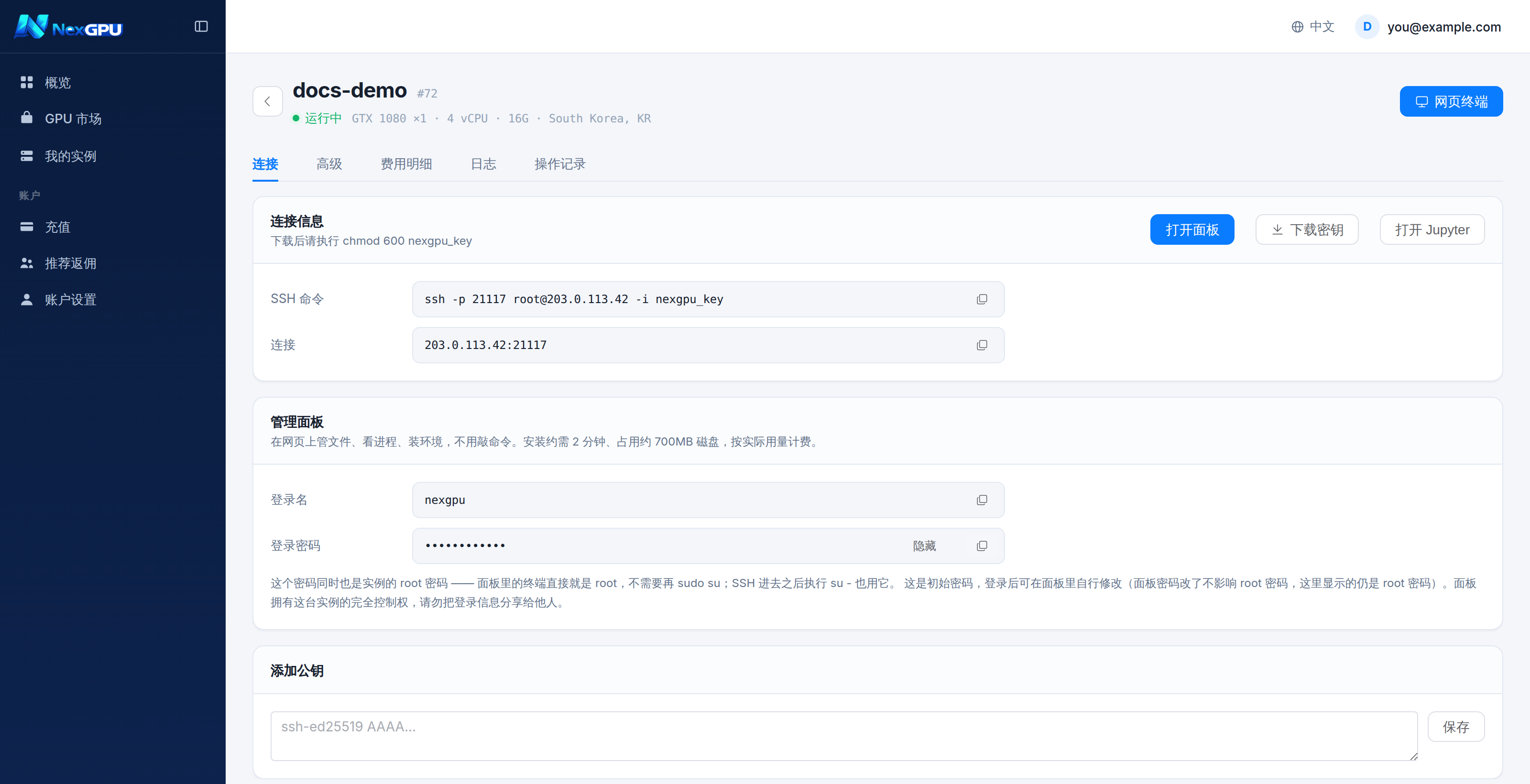
Three things:
| Field | Notes |
|---|---|
| Open panel | Opens the panel in a new tab |
| Username | Always nexgpu |
| Password | Randomly generated; click "Show" to reveal |
:::danger This password is also the instance's root password
The panel's own terminal runs as root — no sudo su needed — and su - over SSH uses the same password.
In other words, anyone with this password has full control of the instance. Do not share it and do not paste it anywhere public. :::
:::info Changing it This is the initial password. You can change it inside the panel — but note that changing the panel password does not change the root password, and the console keeps showing the root one. :::
What the panel is good for
| Task | In the panel |
|---|---|
| Upload or download files | File manager, drag and drop |
| See what is running | Process list, with the option to kill |
| Install a Python or system package | Built-in terminal, already root |
| Run something on a schedule | Cron, configured graphically |
| Check remaining disk | Dashboard |
The certificate prompt
The panel uses a self-signed certificate on the instance, so your browser warns first. That is expected; the page explains it and you can continue.
Questions
Can I uninstall it? You can from inside the panel, but the simpler answer is to destroy the instance and boot a fresh one — instances are disposable by design.
Does the 700MB count against my disk bill? Yes. It is ordinary disk usage on the volume you provisioned. If your disk is tight, check you have room before installing.
I lost the password. The instance detail page always shows the current root password.