Choosing a GPU
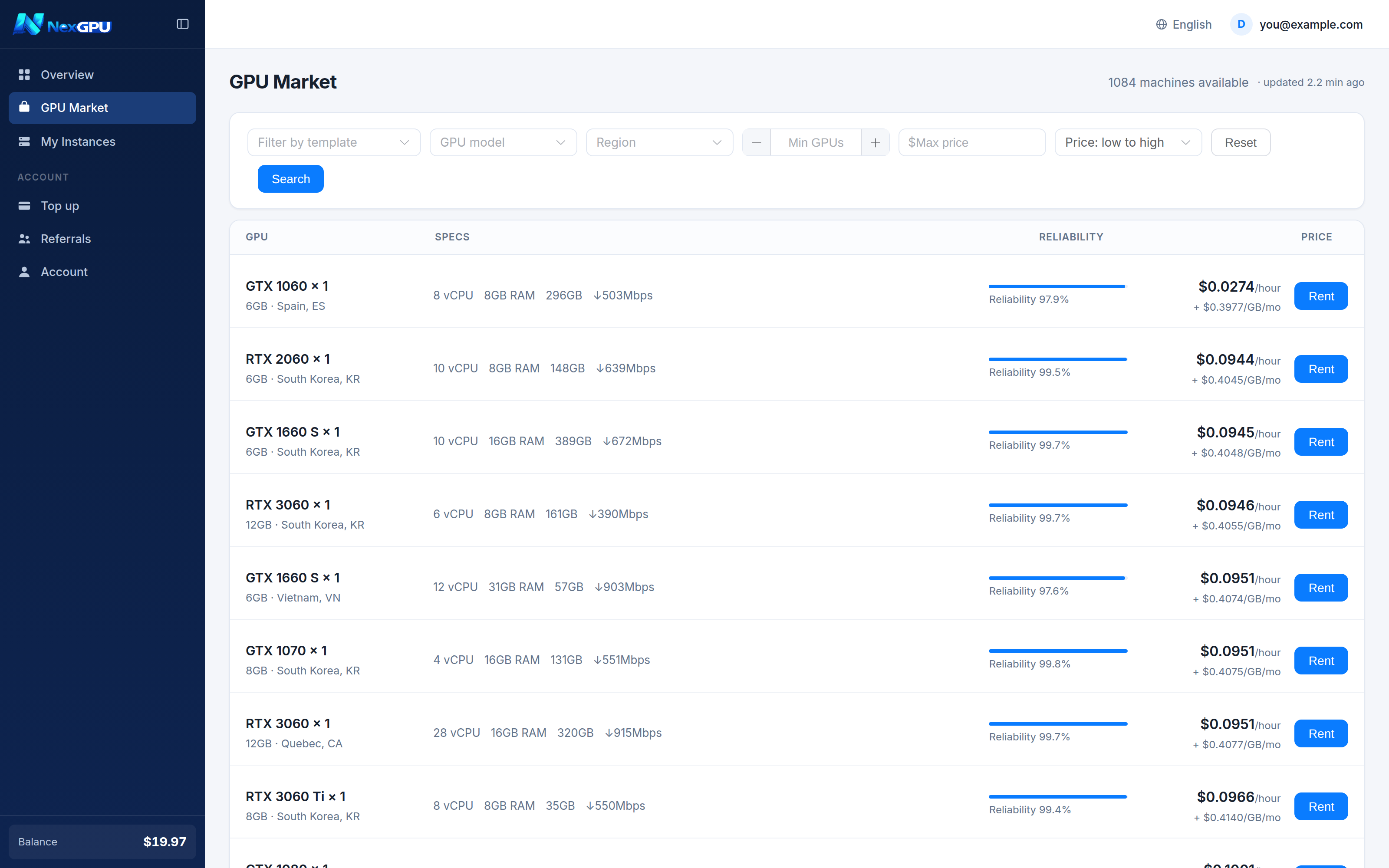
"GPU Market" in the left menu. Every row is a real rentable machine, sorted cheapest first by default.
VRAM first, then price
There is exactly one hard constraint: if it does not fit in VRAM, it does not run. Compute only decides how fast.
| What you are running | Suggested VRAM | Notes |
|---|---|---|
| SD 1.5, small-model inference, learning CUDA | 8GB | Enough to start, under ten cents an hour. |
| SDXL, 7B inference, CV training | 12GB | The common entry tier. |
| Full FLUX, LoRA training, quantised 32B | 24GB | Today's mainstream — RTX 4090/5090 land here. |
| Video generation, LLM fine-tuning, heavy parallelism | 48GB+ | Professional cards. |
| 70B-class FP16 inference | 80GB+ or multi-GPU | Datacenter class. |
:::tip When unsure, rent the cheap one first It costs cents per hour. Get the pipeline working on a small card and move up if VRAM runs out. That is far cheaper than buying a large card up front — and it is the whole point of renting. :::
What each column means
| Column | Meaning |
|---|---|
| GPU | Model × count; below it, per-card VRAM and the machine's region. |
| Specs | vCPU count, RAM, allocatable disk, downlink bandwidth. |
| Reliability | The machine's uptime and completion history. Prefer 99%+ for long jobs. |
| Price | Hourly compute on top; + $x/GB/month below is disk storage. Two separate charges. |
Filters
Along the top:
- By template — pick an environment and machines that cannot run it get flagged
- GPU model — one specific card
- Region — affects your network latency to the machine
- Min GPUs — for multi-GPU nodes
- Max price — cap your budget
- Sort — price / performance / reliability / VRAM
:::info What "cannot run this" means If you choose an environment before filtering, machines without enough VRAM are greyed out with the reason, e.g. "suggests 16G+ per card, this one has 8G". It is not a block — it is a warning that some layers will offload to CPU and run noticeably slower. :::
About multi-GPU machines
Multi-GPU nodes rent whole. The list shows the per-GPU hourly rate; the amount charged is that rate times the GPU count. The order drawer's cost estimate shows the final figure.
Do prices change?
Market rates move with supply and demand, but the rate at the moment you order is locked until that instance is destroyed. A rising market never follows a running instance.