Billing
A bill has exactly three lines, itemised on each instance's Billing tab.
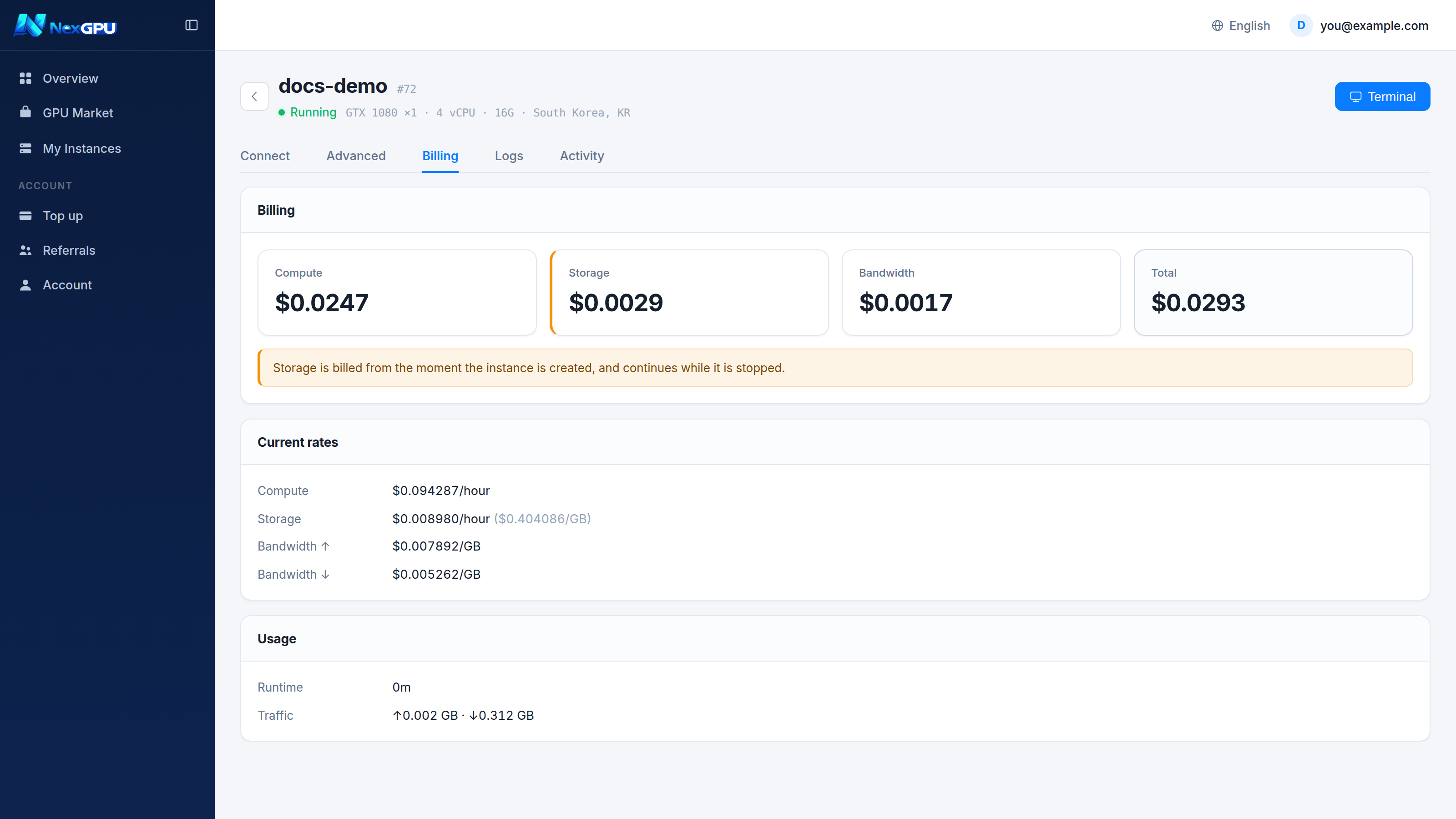
1. Compute
Metered per second, priced per hour.
- Starts when the instance reaches Running
- Ends when it is stopped or destroyed
- Ninety minutes costs 1.5 hours — no rounding up to whole hours
The rate is locked at order time and holds until that instance is destroyed. A rising market never follows a running instance.
2. Storage
Priced per GB-month of disk.
Three things catch people out:
- It starts the moment the instance is created — including the minutes spent pulling the image
- It continues after you stop the instance — the disk is still allocated
- Only destroying ends it — there is no other way
:::warning A concrete number A 16GB instance at typical rates costs a few tens of cents per stopped day. Small — but a stopped month is several dollars for something you never used.
Destroy what you have finished with. Stopping only pays off if you are genuinely coming back soon. :::
3. Network
Ingress and egress metered separately, per GB.
Everyday training, inference and weight downloads are normally a small share of the bill. The one to watch is bulk export — estimate before moving hundreds of GB out.
Nothing else
- No instance creation fee
- No port fees
- No image licensing fees
- No minimum spend, no minimum rental period
When the balance runs out
An ordered sequence:
| Stage | What happens |
|---|---|
| Balance low | Warning email telling you how long the current burn rate lasts |
| Balance exhausted | Instances stop automatically — not destroyed; data intact |
| While stopped | Storage keeps billing and the balance can go negative |
| Negative past the set period | Instances are destroyed and the disk released |
Topping up at any point restores everything.
:::tip The dashboard shows "runway at current usage" It projects from your rate right now. Worth a glance after starting something new. :::
Multi-GPU machines
Multi-GPU nodes rent whole. The market shows a per-GPU hourly rate; the charge is that rate times the GPU count. The order drawer's estimate gives the final figure.
Disputes
The figures on the Billing tab come from the platform's metering and are reconciled line by line against upstream. If a charge looks wrong:
- Note the instance number and the time range
- Send them to Telegram support
We can walk through compute, storage and network item by item.